

Download Obdaryn for Mac
One installer for Macs with Apple Silicon or Intel. Free, with no account to create.
Early access: not yet tested on a real car.
On a phone or tablet?
Obdaryn is a Mac app. Open obdaryn.eu on your Mac to download it, or send yourself the link.
Requirements
- Mac
- Apple Silicon or Intel.
- macOS
- 14.4 Sonoma or later.
- Adapter
- An ELM327-compatible Wi-Fi adapter, such as the Vgate iCar Pro Wi-Fi.
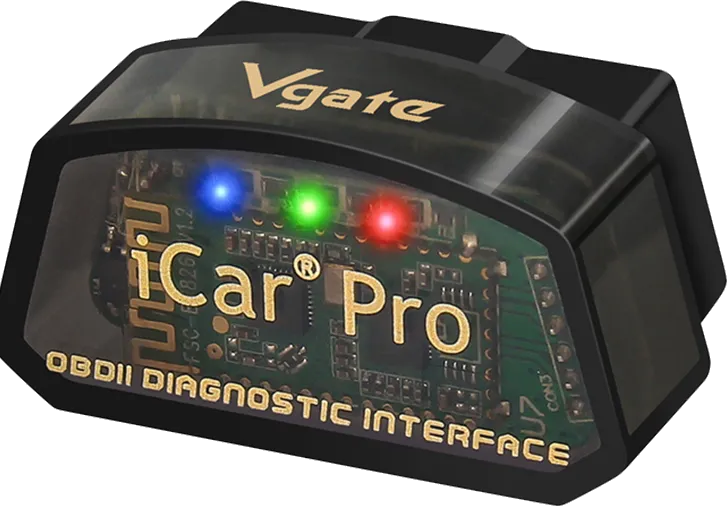 Photo: Vgate
Vgate iCar Pro Wi-Fi
The adapter Obdaryn is developed with. ELM327-compatible (v2.3), it makes its own Wi-Fi network, “V-LINK”, and speaks every OBD-II protocol, CAN included. Obdaryn's connection settings are its defaults, so it connects without changing anything.
Vgate's product pageOpening it the first time
Obdaryn isn't notarized by Apple yet, so macOS asks you to confirm once.
- Open the downloaded file and drag Obdaryn to Applications.
- Open Obdaryn. macOS says it can't check the app for malicious software. Click Done.
- Open System Settings → Privacy & Security. Under Security, next to “Obdaryn was blocked”, click Open Anyway, then confirm with your password.
- When you connect for the first time, allow Obdaryn to find devices on your local network. That's how it reaches the adapter.
Why the warning?
Apple only notarizes apps from members of its paid developer programme. Obdaryn isn't notarized yet. Its source code is public: you can read it, or build the app yourself. Build it from source
Other versions
Every version, with its changes, is on the GitHub releases page. All releases